
Quick summary:
- A panic button gives staff members a fast way to request help during an emergency.
- A wearable panic button moves with the person, unlike a fixed button under a desk or on a wall, and offers greater location flexibility than a fixed-location panic button may lack.
- A wireless panic alarm can send an alert with critical information, such as the location, device name, and type of emergency.
- The best panic alarm setup connects to notifications, speakers, strobes, nearby cameras, desktop alerts, screen takeovers, and emergency response plans.
- A mobile panic alarm system helps schools, healthcare facilities, offices, warehouses, and other facilities protect people who aren’t always near a phone.
Safety is everything to everybody. It’s one of the few requirements that spans geographical borders and industries. Safety is a universal need. Technological advancements have made it easier for mass notification and safety providers to implement devices and systems that give the public access to better safety.
With that in mind, a panic button is one of those safety tools most people hope they never need. But when they do need it, it has to work immediately and exactly as it’s designed to.
There’s rarely time to search for a phone and fumble through the next steps. No trying to speak while someone is standing too close. No hoping the right person happens to walk by. With one button, a staff member can send an alarm and request assistance before the incident gets worse.
For years, many businesses relied on fixed panic buttons. You might see a button under a reception desk, in a school office, near a nurse’s station, on a campus walking path, or beside a security post. Those still have a place. But they have one clear limit: People move.
Teachers walk hallways. Nurses move from room to room. Warehouse managers move through loading docks. Office staff meet with visitors in conference rooms. A panic button mounted in one location does little to protect someone 200 feet away.
That’s precisely why more schools, healthcare facilities, and businesses are looking at wearable panic buttons and wireless panic alarm options as part of a broader safety plan.
What Is a Wearable Panic Button?
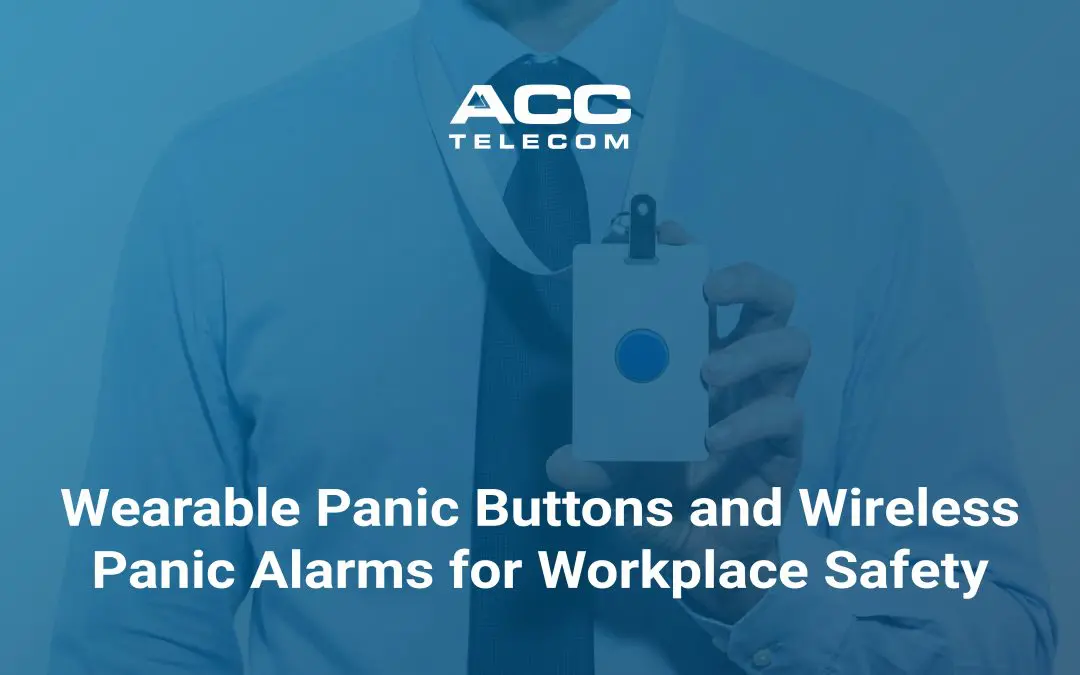
A wearable panic button is a small security device that a user can carry or wear. It may clip to clothing, sit on a badge, hang from a lanyard, or secretly stay in a pocket.
The idea is pretty straightforward: when the button is pressed, the system sends an emergency alert. Depending on the setup, that alert may go to an on-site security team, administrators, managers, a monitoring service, emergency responders, or local emergency services.
The big difference is simple: a wearable panic button goes where the user goes.
That versatility matters in everyday life. A teacher may be outside with students. A nurse may be in a patient’s room. A receptionist may be away from the front desk. A wearable emergency button gives that person fast access to help without needing to make a phone call, open a browser, or explain the danger out loud.
Valcom’s V-Guardian Alert is being introduced as a wearable panic button platform designed to support faster alerts, better location awareness, and clearer emergency response.
How a Wireless Panic Alarm Improves Emergency Response
Depending on the system and age of the product, a traditional panic alarm may only send a basic alert to a single desk or person. That can definitely help, but it can also leave too much room for delays.
A modern wireless panic alarm can do more. When activated, it can send critical information such as who pressed the button, where the device is located, and what type of response may be needed.
In larger facilities, real-time location technology can identify the room, floor, wing, or site where help is needed. For sprawling facilities and campuses, that’s a huge deal for first responders who may not know where to go first. You can finally forget the high-stakes scavenger hunt.

Why Silent Alarms Matter
Not every situation calls for a loud siren to immediately alert everyone. In fact, in some instances, it can make things much worse.
A silent alarm can discreetly notify security or first responders without drawing attention from an aggressive visitor, an upset patient, an intruder, or an angry customer. That quiet activation gives the staff member a chance to get help without escalating the moment.
It allows for clear focus, keeping the situation as calm as possible until assistance arrives.
Why Mass Notification Integration Matters
Here is a fair objection from business owners and facility managers:
“We already have phones, cameras, and an alarm system. Why add another tool?”
The answer is that a panic button is only as good as the response it starts. If someone presses an emergency button and only one person gets a text, that’s probably not going to be enough. What if that person is in a meeting? What if the phone is muted? What if the incident requires the whole building to react?
A stronger plan connects the alert to your broader mass notification systems.
That can include:
- Speaker announcements
- Visual notifications on digital signs or strobes
- Desktop alerts and screen takeovers
- Mobile push notifications
- Zone-based messages by room, floor, building, or campus
- Camera activation from nearby cameras
- Access control actions, such as locking doors
- Updates for first responders and on-site responders
ACC Telecom’s mass notification solutions can use phones, paging, IP speakers, strobes, SMS, email, mobile apps, and other connected systems to help teams communicate during an emergency. The goal is to activate a clearer response.

Why Wearable Panic Buttons Matter in Schools
For schools, panic buttons are often discussed around Alyssa’s Law and compliance. Of course, following the law is always the right thing to do, but blowing through the red tape, the bigger issue is daily safety.
A staff member may need help during a medical emergency, a fight, a custody issue, an outside threat, or a lockdown. At any given time, students are dispersed throughout the campus in classrooms, cafeterias, gyms, buses, or outdoor spaces. A fixed panic button in the main office isn’t sufficient as the only way to start an emergency when the danger is somewhere else. It’s a multi-faceted approach that makes the most sense.
The addition of wearable panic buttons gives staff a way to request help from where they are. Even more, it helps responders know where to go, which resources to bring, and whether the alert should stay local or reach the full school.
That level of specificity is such an advantage when seconds count.
What Is a Wearable Panic Button for Healthcare Workers?
In healthcare, a wearable panic button helps nurses, doctors, behavioral health teams, reception staff, and support workers request assistance without needing to leave a patient or reach a wall station.
A panic button in a hospital may be used during a patient escalation, visitor threat, fall, medical emergency, or workplace violence concern. When the alarm is activated, the system can notify responders, security, or emergency services with the user’s location.
This is different from a consumer medical alert system, like a pendant used by a senior at home. A workplace wearable panic button is usually part of a building-wide panic alarm and emergency notification plan.
Do Panic Buttons Call the Police?
They can, and some implementations call for that, but it depends on how the system is designed for you and your use case.
A panic button usually alerts specified internal responders, a monitoring service, law enforcement, emergency services, or a mix of those groups. Some organizations want the first alarm to go to on-site security. Others want emergency responders contacted immediately. The right answer depends on your facility, risks, local government requirements, and response plan. But don’t worry, ACC Telecom will walk you through all your options.

What to Consider Before You Install a Panic Button System
Before you install any panic button system, ask a few grounded questions:
- Will it work where people actually are? Walk the site. Check hallways, parking lots, stairwells, exam rooms, storage areas, playgrounds, loading docks, and offices.
- Who receives the alert? Make sure the alarm reaches people who can act. An alert that lands in the wrong inbox is not much help.
- What happens after activation? A solid panic alarm solution will do more than sound. It should send notifications, share critical information, and help responders coordinate the response.
- Can the system grow? Your safety needs may change. You may add buildings, users, cameras, or new emergency plans. Choose technology from a partner like ACC Telecom that can grow without forcing a full rebuild.
A Panic Button Is a Small Piece of the Puzzle. The Plan Behind It Should Complete the Picture.
A panic button may be small enough to wear on a badge, which is great when discretion is needed, but the plan behind it should be big and all-encompassing.
A wearable panic button helps employees stay protected, gives responders more detailed information, and helps the whole facility communicate during an emergency. It can bring peace of mind, but more importantly, it gives people a clear way to act.
ACC Telecom proudly helps schools, healthcare facilities, businesses, and other customers design practical panic button and mass notification systems that fit the way their people actually work.
You can also learn more about Valcom’s upcoming wearable panic button platform, V-Guardian Alert, and how wearable panic technology can fit into a broader emergency communication plan.